A run of show is the cue-by-cue production script that tells every person on your event team exactly what happens, at what time, and who owns it. The single rule that separates a working document from a liability: back-plan from your hard times and name a specific owner on every line. Start there, add technical cues, and build outward.
TL;DR:
- Every cue must have a designated owner and a sequential number to ensure clear responsibility and easy reference during the event.
- The run of show should include fixed times, detailed cues, buffers at transitions, and contingency plans for each line to prevent delays and handle unforeseen issues.
- Printing physical copies for the stage manager and AV team safeguards against technical failures, even if a digital version is kept updated online.
- A full technical rehearsal with real gear is essential to verify timing, equipment, and responsibilities before the event begins.
- Building a detailed, stress-tested run of show depends on starting with non-negotiable hard times and working backward into cue-level planning.
Table of Contents
- What Is a Run of Show, and How Is It Different From an Agenda?
- The Fields Every Run of Show Needs
- How to Build a Run of Show, Step by Step
- Run of Show Templates: Which Format Fits Your Event
- How an Experiential Agency Runs This at Scale
- Three Things I’d Never Skip on a Run of Show
- How King Sixteen Handles Run of Show Production for You
- Useful Templates and Guides for Building Your Run of Show
- Sources
- FAQ
What Is a Run of Show, and How Is It Different From an Agenda?
An agenda tells your guests what to expect. A run of show tells your crew what to do. That distinction trips up more first-time event coordinators than any other part of production planning.
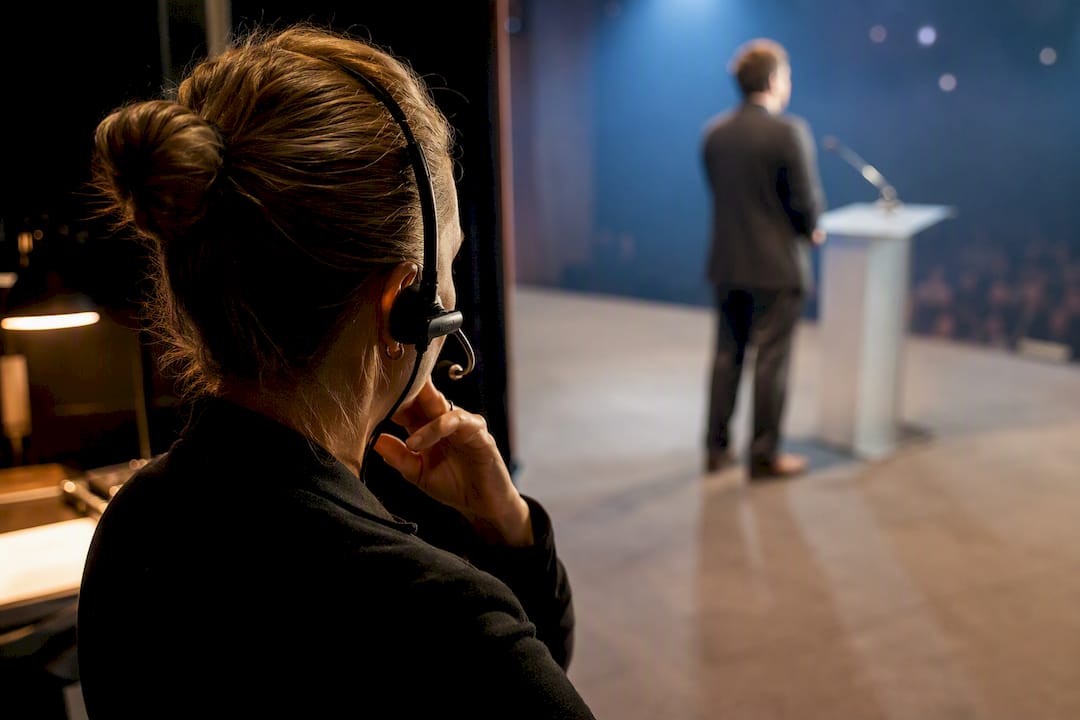
Your printed agenda might say “Welcome Remarks, 6:30 PM.” Your run of show says the house lights dim at 6:28, the walk-on track starts at 6:29:30, the podium mic goes live at 6:30:00, and the stage manager confirms the speaker is in position by 6:27. One document is for the audience. The other is the working script your MC, AV desk, and stage crew all pull from during the show itself.
A master timeline sits somewhere in between. It’s often the internal planning document that maps out load-in, vendor arrivals, and general blocks of time weeks before the event. The run of show (sometimes called a run sheet, show flow, or cue sheet, depending on which industry you’re standing in) is the minute-by-minute descendant of that timeline, built for the day itself.
You need a full run of show whenever:
- The event has a performance window with fixed start times (a keynote, a live show, a broadcast segment)
- Multiple departments (AV, lighting, catering, talent) need to hit cues in sync
- More than one person is responsible for triggering a transition
- There’s any live or filmed component where dead air or a missed cue is visible to an audience
For a casual open house with no stage and no fixed program, a simple timeline might cover it. For anything with a stage, a microphone, or a countdown clock, granularity is what keeps the show from falling apart in real time.
The Fields Every Run of Show Needs
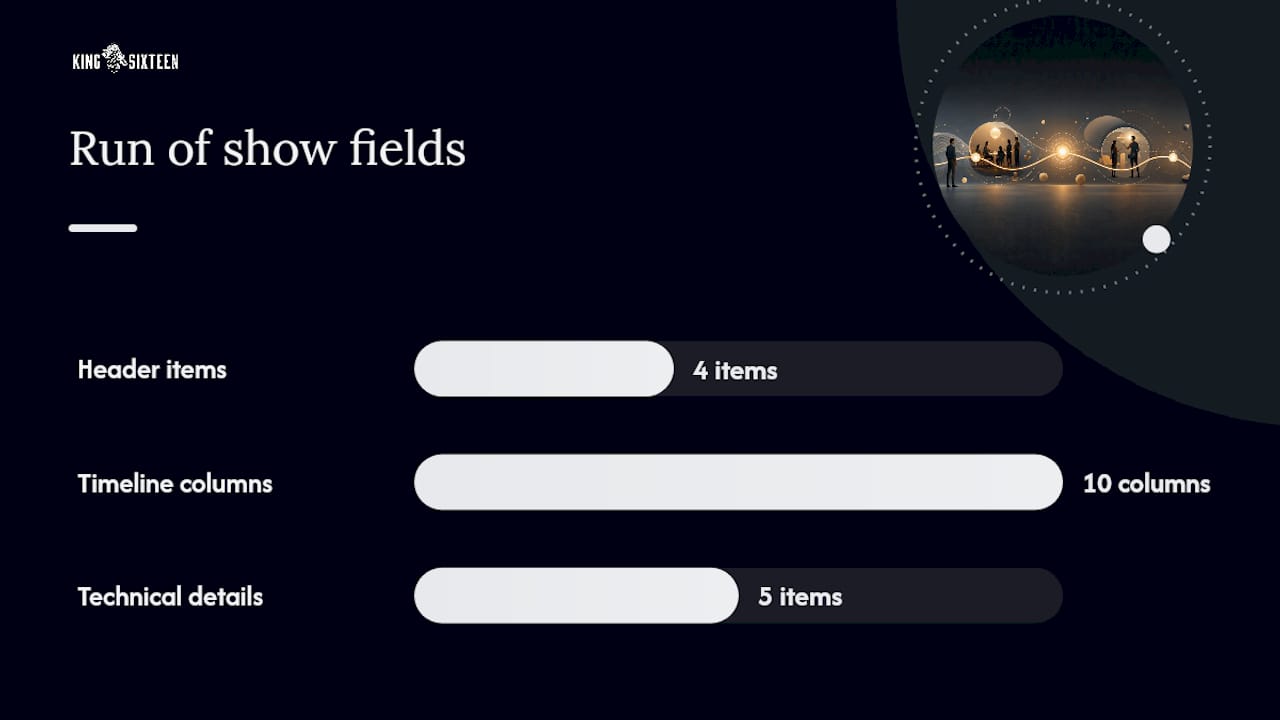
Two blocks make up a working run of show: the header, and the timeline itself. Skip either one and you’re building a document that looks complete but fails the first time something goes sideways.
The header block comes first, and it’s not optional. It should include:
- Event name, date, and venue, with load-in and load-out windows
- Key contact list with names, roles, and cell numbers (producer, stage manager, AV lead, venue contact, security)
- Doors, show start, and curfew times, clearly separated from each other
- Emergency plan: nearest exits, medical contact, weather contingency, and who calls the “go/no-go” decision
The timeline itself needs these columns, at minimum, according to event production guidance from Handbid:
- Cue number (sequential, never reused, even across days)
- Start time and duration
- What happens (plain language, no jargon that only one department understands)
- Owner (one name, not a department)
- AV cue (slide number, video file, audio track)
- Lighting cue or look
- Props or staging notes
- Mic assignment (handheld, lav, podium, and who’s wearing which)
- General notes
- Contingency or backup plan for that specific line
Mic assignments deserve their own mention because they’re where a lot of shows quietly break. If your emcee is wearing a lavalier and the next speaker needs a handheld, that swap has to happen somewhere, and it has to be written down as its own cue with its own owner, not buried inside a “next speaker” note. The same goes for cue naming: numbering cues sequentially (Cue 12, Cue 12A, Cue 13) gives your team a shared reference point when the show drifts off schedule and someone needs to shout “jump to Cue 18” without confusion.
A robust document also tracks technical state, not just action. What’s the video wall showing during Cue 9? Is the podium mic hot or muted between speakers? Those details prevent the awkward five seconds where everyone on comms is asking the same question at once.
How to Build a Run of Show, Step by Step
Start with your hard times and work backward. If the keynote absolutely must start at 7:00 PM because a livestream is going out to 40,000 remote viewers, that time doesn’t move. Everything else gets scheduled around it.
- List every fixed, non-negotiable time first. Doors, dinner service, headline performance, curfew. These are your anchors.
- Build the high-level timeline between anchors. Block out segments (cocktail hour, remarks, award presentation) before you get granular.
- Break each segment into cue-level rows. A 20-minute awards segment might turn into 14 separate cues once you account for walk-ons, mic handoffs, and video packages.
- Assign a named owner to every single row. Not “AV team.” Not “stage crew.” A first name. If you can’t name who’s responsible for a line, that line isn’t ready yet.
- Add buffers at every major transition. Ten to 15 minutes between segments like dinner-to-program or program-to-performance absorbs the chaos that always shows up. Minor transitions (speaker to speaker) get five minutes.
- Document dependencies and contingencies. If Cue 22 can’t happen until Cue 21’s video plays fully, write that down. If the outdoor ceremony gets rained out, the backup indoor cue sequence needs its own line, not a footnote.
- List emergency contacts directly on the document, not in a separate file nobody opens during a crisis.
- Run a full technical rehearsal before doors open. Walk every cue, every mic swap, every lighting change, in real time, with the actual gear.
- Print key cue sheets for AV and the stage manager, even if the master copy lives digitally.
Pro Tip: Assign your buffers before you assign your content. It’s tempting to fill every minute with programming, but a run of show with zero slack is a run of show that’s already behind by 6:15.
Buffers aren’t wasted time. They’re where you absorb the late shuttle bus, the jammed lav mic, or the extra 90 seconds the CEO takes because the applause ran long. Skip this step and your entire evening runs on borrowed time from the moment doors open.
Run of Show Templates: Which Format Fits Your Event
There’s no single correct format. The right one depends on event size, how many hands touch the document, and how much real-time flexibility you need on show day.
- Spreadsheet master. Build separate tabs for the minute-by-minute timeline, a broader production schedule, a contact sheet, and a cue library for recurring elements like walk-on music or lighting looks with the help of a templates library to organize your master spreadsheet efficiently. This is the format most production teams reach for because it scales from a 50-person breakfast to a three-day conference without changing tools.
- Single-page printed cue sheet. Strip the master down to only what the stage desk needs: cue number, time, action, and who’s up next. Color-code by department (blue for AV, yellow for lighting, green for talent) so a glance tells the operator what matters to them.
- Digital master with live updates. A shared cloud document lets your producer adjust times in real time and have every department see the change instantly, often synced to a countdown clock backstage.
Always print copies for the stage manager and AV booth in case Wi-Fi drops or a device fails during the show. If Wi-Fi drops or a tablet dies mid-show, paper doesn’t. Copy that row structure across your whole timeline and you have a working template before lunch. Free examples and downloadable run of show templates can save you the setup time if you’re starting from a blank sheet.
How an Experiential Agency Runs This at Scale
A single master run of show is built for every production, then department-specific tabs are layered underneath it, including load-in schedules, a lighting look library, and a mic matrix that tracks every handheld and lav across a multi-day event.
That consolidation exists because a scattered set of department documents is exactly how transitions fail. When five teams each keep their own version of “the schedule,” small drift compounds fast. Named owners and numbered cues aren’t a formality on a King Sixteen production. They’re how a team of 40 crew members stays synced when a keynote runs four minutes long and every downstream cue has to shift with it.
Three Things I’d Never Skip on a Run of Show
Every complicated show eventually comes down to three habits: a named owner on every line, sequential cue numbers, and one full technical run-through before doors. Skip any of those and you’re not running a show, you’re hoping one happens.
Transitions are where most shows actually fail, not the big moments. Nobody forgets to plan the keynote. People forget to plan the 90 seconds after it, when the mic has to move, the lights have to shift, and the next act has to be standing in the wings already. Write those seconds down like they matter, because they’re usually the ones that do.
Printable checklist for the stage manager’s desk:
- Every cue has a name attached to it
- Cues are numbered sequentially, no gaps or repeats
- Buffers exist at every major transition
- Emergency contacts are on the document, not in a separate file
- A full tech run-through happened before doors
- Printed copies exist at the AV booth and stage manager position
— Tyler
How King Sixteen Handles Run of Show Production for You
If you’ve read this far and you’re staring down a multi-day conference or a high-visibility product launch, you already know a spreadsheet alone won’t carry the day. Expert production teams write the run of show, run the technical rehearsal, and staff the stage management for events where a missed cue isn’t an inconvenience, it’s a headline.

That’s the real difference between building this yourself and bringing in a production team: you get a document that’s already been stress-tested across dozens of live shows, not one you’re debugging in real time on show day. Our experiential production services cover the full stack, from ROS writing and cue numbering to load-in logistics and day-of stage management, all coordinated through the vendor network we’ve built for clients like Porsche and Churchill Downs. For private events and bespoke productions, our private events team can take the entire run of show off your plate, from first draft to final curtain call. If your event has a stage, a mic, or a countdown clock, reach out and get a quote before you’re building this alone at 11 PM the week of the show.
Useful Templates and Guides for Building Your Run of Show
- A sample run-of-show PDF shows real stage cue formatting from an actual public event.
- Free run of show templates covering concerts, galas, and conferences, ready to copy into a spreadsheet.
- A step-by-step ROS guide walking through pre-show checks, sound checks, and staff briefings.
- King Sixteen’s event logistics checklist for pairing your timeline with a full pre-event punch list.
Sources
- Creating a successful event run of show
- What Is a Run of Show? (And Why Your Event Needs One) | Chronolio
FAQ
What Is a Run of Show for an Event?
A run of show is the cue-by-cue production document that tells every team member the exact time, action, and owner for each moment of an event, distinct from the audience-facing agenda.
How Do I Create a Run of Show for an Event?
Start by locking in your hard, non-negotiable times, then work backward to build cue-level rows with a named owner, technical cues, and buffers at major transitions, followed by a full technical rehearsal before doors.
Can You Give an Example of a Run of Show?
A single row might read: “Cue 14, 7:00 PM, 3 minutes, award video plays and host walks to podium, Owner: Dana, AV: play file, Notes: confirm audio level.” Stack rows like that across your event timeline and you have a working document.
What’s the Difference Between a Run of Show and an Agenda?
An agenda communicates the schedule to guests in general terms, while a run of show gives production staff minute-by-minute instructions, including technical cues, mic assignments, and named owners for every line.
Should I Print My Run of Show or Keep It Digital?
Keep a digital master for real-time updates, but always print copies for the stage manager and AV booth in case Wi-Fi drops or a device fails during the show.
Recommended
- Types of Event Experiences: A Planner’s 2026 Guide
- Venue Sourcing Strategy: A Planner’s Process and Checklist
- Event Logistics Checklist for Planners: Timeline + Templates
- Event Production Tips for Planners and Marketers