For most presenters, three microphone types cover nearly every scenario: a headset for high-mobility keynotes, a lavalier for camera-forward or studio-style talks, and a handheld for Q&A and panels. Podium or gooseneck mics handle lectern-bound formats, and boundary mics work for seated conference tables. Match the mic to the format first, and the rest of the decision gets much easier.
Quick-match by format:
- Keynote (roaming stage): Headset mic, cardioid, wireless XLR
- Panel or Q&A: Handheld wireless or boundary mics at the table
- Broadcast or hybrid event: Lavalier in a controlled, low-reverb setup, or headset if the presenter moves
- Outdoor activation: Headset with a windscreen, or a dynamic handheld
Red flags to catch early:
- Avoid small omnidirectional lavaliers in reverberant halls — they pick up the room as much as the speaker
- Don’t default to a lav for a roaming presenter in a large venue; gain-before-feedback drops fast
- Never skip a wired backup mic, regardless of how reliable the wireless system looks in rehearsal
Key Takeaways
Matching the microphone type to the presentation format, room size, and mobility needs is the single most important decision a presenter or producer makes before an event.
| Point | Details |
|---|---|
| Headset for roaming keynotes | Headsets give better gain-before-feedback and consistent levels for moving presenters in large rooms. |
| Lavalier for camera-forward talks | Lavs minimize visual distraction but need controlled acoustics and careful placement to avoid feedback. |
| Polar pattern before mic brand | Correct pattern selection and placement improve intelligibility more than a mic upgrade at the same price. |
| Always confirm wireless logistics | Frequency scan, fresh batteries, and a wired backup mic are non-negotiable before any wireless-dependent event. |
| Build a spare kit into every event | One spare transmitter, one spare capsule, and a wired backup should be confirmed on site before doors open. |
Table of Contents
- What microphone types work best for speakers?
- Presentation mic forms: lavalier, headset, handheld, podium, and boundary
- How do polar patterns affect feedback and placement?
- XLR vs USB vs wireless: what presenters need to know
- How to choose the right mic for your talk
- Event-producer setups: real-world mic rigs
- Accessories and mic technique that actually move the needle
- The mic choice most presenters get wrong
- Sources
What microphone types work best for speakers?
The answer starts with how a microphone converts sound into signal, because that mechanism determines everything from ruggedness to feedback risk.
AVIXA identifies three core transducer types: dynamic, condenser, and ribbon. Each operates on a different physical principle, and those differences have direct consequences on a live stage.
Dynamic microphones
Dynamic mics use electromagnetic induction: a diaphragm moves a coil through a magnetic field, generating a signal. That design is inherently rugged. Dynamic mics handle high sound pressure levels without distortion, need no external power, and resist feedback well in loud, untreated rooms. The Shure SM58 has been the default handheld for live speech for decades precisely because of this reliability.
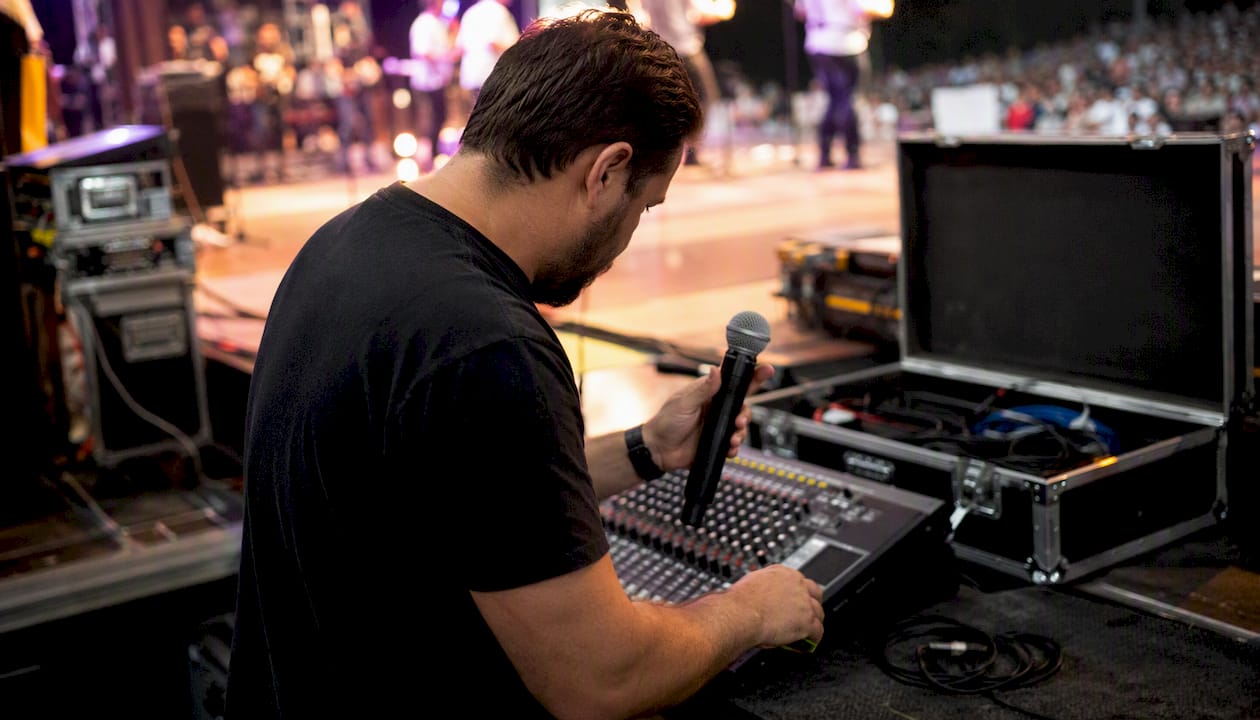
The trade-off is sensitivity. Dynamics don’t capture the fine detail and high-frequency air that condensers do, which matters less for speech reinforcement than it does for studio recording. For a presenter in a noisy expo hall or an outdoor activation, that’s a feature, not a limitation.
Condenser microphones
Condensers use a capacitor principle: a charged backplate and a thin diaphragm create a variable capacitance that responds to even subtle pressure changes. ProSoundWeb notes that this makes condensers more sensitive and better at capturing high frequencies, but they typically require phantom power (48V DC supplied through the XLR cable) and are more susceptible to feedback in live rooms.
For presentations, condensers appear most often in lavalier and headset form factors, where the capsule’s proximity to the mouth compensates for the sensitivity-to-feedback trade-off. Some stage-specific condensers, like the Neumann KMS 104 Plus, are engineered to handle high SPL and stage conditions, which challenges the assumption that condensers are always fragile.
Ribbon microphones
Ribbon mics use a thin metallic ribbon suspended in a magnetic field. They produce a warm, natural sound with a figure-8 polar pattern, and they’re genuinely fragile. Phantom power from an incompatible preamp can destroy a ribbon capsule. For live presentations, ribbons are almost never the right call. They belong in broadcast studios and recording environments, not on a conference stage.
Practical trade-offs at a glance:
- Dynamic: Rugged, feedback-resistant, no power needed, lower sensitivity
- Condenser: Sensitive, detailed, needs phantom power, higher feedback risk in live rooms
- Ribbon: Warm, fragile, figure-8 pattern, studio/broadcast only
Pro Tip: In live, acoustically untreated rooms — think hotel ballrooms, convention centers, or outdoor tents — prioritize feedback resistance and ruggedness over absolute audio clarity. A dynamic or a quality lavalier/headset condenser close to the mouth will outperform a sensitive large-diaphragm condenser on a stand every time.
Presentation mic forms: lavalier, headset, handheld, podium, and boundary
Transducer type tells you how a mic works. Form factor tells you how it fits into your presentation. These are the five forms every presenter should know.
Lavalier (lapel) mic
A lavalier clips to clothing, typically at chest level, and runs a thin cable to a wireless transmitter pack. It’s nearly invisible on camera, which makes it the default choice for broadcast, webinars, and video-heavy product launches. The limitation is placement: a lav sits 6–8 inches below the mouth, so any head turn changes the pickup angle and level. In a reverberant hall, that inconsistency compounds fast.
QSC’s live sound team frames the choice clearly: lavs work well in controlled video or studio contexts, while headsets are the better call for high-energy live presentations where gain-before-feedback is critical.
Headset (headworn) mic
A headset mic positions the capsule just off the corner of the mouth and moves with the presenter’s head. That consistent mouth-to-capsule distance is what gives headsets their advantage: Shure’s guidance confirms that headsets provide more consistent audio levels and better gain-before-feedback for moving presenters. For a keynote speaker covering a large stage, a headset is almost always the right answer.
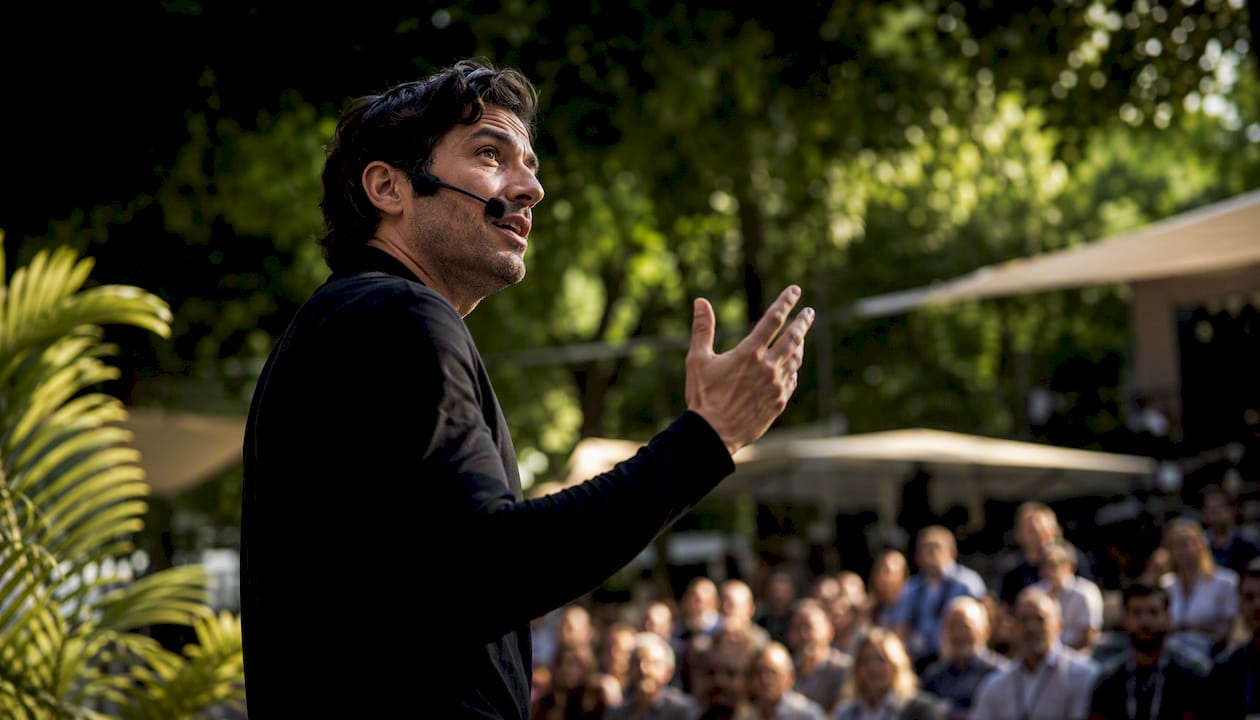
The visual trade-off is real. A headset is visible on camera and on stage. For brand-forward events where the presenter’s look matters, that’s worth discussing with the AV team before the event.
Handheld mic
The handheld is the most familiar form and the most forgiving for untrained presenters. It’s easy to pass between panelists, requires no body-pack rigging, and gives the presenter direct control over their level by moving the mic closer or further from their mouth. The downside: it occupies one hand, which limits gesture and note-holding.
For Q&A, audience interaction, and panel formats, a handheld wireless mic is often the most practical solution.
Podium or gooseneck mic
A gooseneck mic mounts on a lectern and points toward the presenter’s mouth. It’s the standard for formal speeches, government proceedings, and academic presentations where the speaker stays at the podium. The constraint is exactly that: the presenter must stay at the podium. Any significant movement away from the mic drops the level sharply.
Boundary mic
Boundary mics (sometimes called PZM mics) sit flat on a surface and pick up sound from the hemisphere above them. They’re common on conference tables for boardroom meetings and panel discussions where multiple speakers share a surface. They’re not suited for large rooms or roaming presenters, but for a seated roundtable or a small breakout session, they’re clean and unobtrusive.
Side-by-side comparison
How do polar patterns affect feedback and placement?
A microphone’s polar pattern describes which directions it picks up sound. For presenters, this is one of the most consequential technical choices, and it’s one that often gets skipped in the briefing.
Schoeps’ technical documentation establishes the core principle: directional (pressure-gradient) designs preserve the direct-to-reverb balance at greater distances and help with feedback control compared with omnidirectional capsules in live contexts.
The four patterns presenters encounter:
- Cardioid: Heart-shaped pickup, most sensitive at the front, rejects sound from the rear. The standard for live speech. Keeps PA speakers behind the mic in the rejection zone.
- Supercardioid: Narrower front pickup with a small rear lobe. Better off-axis rejection than cardioid, but the rear lobe means PA placement matters more. Common in headset mics.
- Omnidirectional: Picks up equally from all directions. No feedback rejection advantage, but no proximity effect and no off-axis coloration. Works well in controlled studio or broadcast setups where the PA isn’t a factor.
- Figure-8 (bidirectional): Picks up front and rear, rejects the sides. Used in ribbon mics and some specialty applications. Rarely practical for live presentations.
Placement rules that actually matter:
- Keep PA speakers in front of and below the mic, never behind it, to stay in the rejection zone
- For cardioid lavs, position the capsule at sternum level pointing upward, not buried under a lapel
- Increase distance from a reflective back wall when using omnidirectional mics to reduce room pickup
- In hybrid or AV-constrained venues, a tighter supercardioid pattern on a headset can recover headroom that a cardioid lav would lose
Pro Tip: Polar pattern selection and correct placement often produce larger improvements in intelligibility and feedback control than swapping mic brands at the same price point. Before asking for a mic upgrade, ask your AV tech to check placement and pattern first. It’s the highest-leverage fix available.
For more on managing audio feedback at live events, the King Sixteen blog covers the practical techniques in detail.
XLR vs USB vs wireless: what presenters need to know
Connectivity determines how your mic integrates with the venue’s system, and the wrong assumption here causes real problems on event day.
XLR is the professional standard. It’s a balanced, three-pin connection that rejects interference over long cable runs and plugs into every professional mixing console. XLR systems are modular: swap a mic, change a cable, add a preamp. For any event with an AV team and a proper mixing board, XLR is the default. Most condenser mics on XLR connections require phantom power (48V), so confirm the mixing console or preamp supplies it before the event.
USB sends digital audio directly to a computer, bypassing the mixing console entirely. MusicRadar’s coverage of USB microphones notes that USB-C is now the preferred connector for modern USB mics, but the format still limits modularity and relies on the mic’s internal converters. For a solo presenter recording a webinar or a podcast-style broadcast, USB is genuinely convenient. For a multi-speaker live event with a professional AV rig, it is the wrong tool.
Wireless systems (UHF or 2.4 GHz digital) give presenters freedom of movement and are standard for keynotes and large-stage events. The operational checklist before any wireless-dependent event:
- Frequency coordination: Confirm the wireless system’s frequencies don’t conflict with local TV broadcast bands or other wireless systems in the building. In the U.S., the FCC regulates which frequencies are legal for wireless mic use, and this changes by market.
- Battery check: Fresh batteries before every session, no exceptions. Rechargeable lithium systems (like those in Shure’s Axient Digital line) reduce this risk but still need a pre-show charge confirmation.
- Backup wired mic: Always have one on stage or at the podium, ready to go.
For hybrid events requiring both in-room reinforcement and a broadcast feed, a hybrid USB/XLR mic or a split signal from the mixing console gives you both outputs without doubling the mic count.
The King Sixteen audio and lighting services team handles frequency coordination and wireless rig management as part of full-service event production.
How to choose the right mic for your talk
Walk into any AV conversation with this checklist and you’ll get better answers faster.
- Room size and acoustics: Small, treated room or large reverberant hall? Larger and more reverberant means tighter polar pattern and higher gain-before-feedback priority.
- Presenter movement: Staying at a podium, or roaming a stage? Roaming requires wireless and a headset or lav.
- Number of speakers: One presenter or a panel? Panels need multiple handhelds or boundary mics; one presenter can use a single wireless body-pack system.
- Video or streaming needs: Is the presentation being recorded or broadcast? Camera visibility of the mic matters; lavs minimize visual distraction.
- Audience size: Larger audiences require more PA headroom, which means tighter patterns and higher-quality wireless systems.
- Budget for mic rental: Entry-level wireless systems start at moderate rental prices per unit; professional UHF systems (Shure Axient, Sennheiser EW-D) run higher but offer significantly better RF management.
- Backup gear: Is there a spare mic, spare transmitter, and spare batteries on site?
Matching mic to format:
- Keynote in a large hall: wireless headset, supercardioid, UHF system with frequency coordination
- Panel discussion: wireless handhelds or wired boundary mics on the table
- Hybrid/virtual event: lavalier in a controlled room, or headset if the presenter moves; split XLR/USB feed for the broadcast chain
- Outdoor activation: dynamic handheld or headset with windscreen; avoid condensers in wind
Pro Tip: When briefing a rental house or in-house AV team, ask specifically for a frequency scan of the venue before the event, a written cable map, and a confirmed mic inventory with model numbers. These three requests separate professional AV vendors from ones who are winging it.
Event-producer setups: real-world mic rigs
These three configurations represent the most common scenarios in live event production.
1. Small meeting room (up to 50 people)
- Primary mic: Wired cardioid dynamic on a desk stand, or a wireless lavalier
- Connectivity: XLR into a small mixer or directly into a room PA
- Backup: Wired handheld on a stand at the front of the room
- Notes: Phantom power rarely needed if using a dynamic; confirm room PA has enough headroom before adding a condenser lav
2. Mid-size conference hall (small to mid-size audience)
- Primary mic: Wireless headset (UHF, frequency-coordinated) for the main presenter; wireless handhelds for Q&A
- Connectivity: XLR wireless receivers into the main mixing console; phantom power confirmed for any condenser elements
- Backup: Wired SM58 or equivalent at the podium
- Notes: Run a frequency scan before doors open; assign a dedicated RF tech or AV operator to monitor wireless signal during the session
3. Large keynote with roaming presenter (hundreds of people)
- Primary mic: Wireless headset, supercardioid, professional UHF system (Shure Axient Digital or Sennheiser EW-D class)
- Secondary: Two wireless handhelds for panel or Q&A segments; boundary mics on the stage table if a panel follows
- Connectivity: Full XLR snake to front-of-house console; IFB (in-ear monitor feed) for the presenter if cue audio is needed
- Backup: Wired handheld at the podium, confirmed live before the presenter walks on stage
- Notes: Coordinate with the venue’s house AV on frequency allocation; request a mic inventory and cable map 48 hours before the event
Pre-show producer checklist:
- Frequency scan completed and documented
- All wireless transmitters on fresh batteries
- Backup wired mic confirmed live at the podium
- Phantom power verified at the console for all condenser mics
- Mic handoff procedure rehearsed with stage manager (for panel transitions)
- Monitor mix confirmed for presenter IFB if applicable
- Spare transmitter and spare capsule on site
For private events and corporate speaking engagements, King Sixteen manages this entire pre-show sequence as part of turnkey production, including frequency coordination and on-site RF monitoring.
Accessories and mic technique that actually move the needle
The right mic in the wrong position sounds worse than a cheaper mic placed correctly. These are the accessories and habits that make the biggest difference.
Essential accessories:
- Windscreens and pop filters: Required for outdoor use; also reduce plosives (“p” and “b” sounds) indoors. Foam windscreens for handhelds; furry windscreens (deadcats) for outdoor lavs and headsets.
- Lav clips and mounting tape: Rycote Stickies or similar medical-grade tape secure the lav capsule to skin or clothing and dramatically reduce clothing rustle, one of the most common causes of poor speech intelligibility with lapel mics.
- Mic stands and booms: A quality boom stand positions a handheld or podium mic precisely; cheap stands shift during a session and create handling noise.
- Spare batteries and transmitters: Carry at least one complete spare transmitter and fresh batteries for every wireless system on site.
Mic technique for presenters:
For lavs, position the capsule at sternum level, centered, with the cable routed under clothing to the transmitter pack. Avoid placing it under a lapel or behind a tie — the fabric blocks high frequencies and amplifies rustle. For camera-forward events, coordinate mic placement with the event photographer or video team so the capsule stays out of the shot without compromising audio.
For headsets, the capsule should sit just off the corner of the mouth, not directly in front of it. Direct placement increases plosive risk; the slight offset maintains level while reducing breath noise.
For handhelds, hold the mic at chin level, angled slightly upward toward the mouth, about 2–4 inches away. Moving it closer increases bass (proximity effect) and level; moving it further drops level and picks up more room. Consistent distance is the skill.
Pro Tip: Every presenter should insist on a standard spare kit at the event: one spare wireless transmitter, one spare capsule or mic element, and a wired backup. If the AV vendor can’t confirm all three are on site before the event starts, that’s a production risk worth escalating before doors open.
The mic choice most presenters get wrong
Most presenters spend their pre-event energy on slides and talking points, then accept whatever mic the venue hands them. That’s the wrong order of operations.
The conventional advice in most “mic guide” articles is to pick a microphone type based on aesthetics: lavs are invisible, so they’re better. Headsets look technical, so they’re reserved for performers. That framing misses the actual variable, which is gain-before-feedback relative to the room. A lav in a reverberant ballroom with a roaming presenter isn’t a subtle choice. It’s a feedback risk and an intelligibility problem waiting to happen.
What the research in this guide actually supports: the headset is underused in corporate presentation contexts because it’s associated with fitness instructors and theater. That association costs presenters real audio quality. A quality headset mic, properly placed, gives an AV operator significantly more headroom to work with, which means cleaner reinforcement, less compression, and a better experience for the audience.
The second thing most guides get wrong: they treat mic selection as a standalone decision. Polar pattern, placement, room acoustics, and wireless frequency management are all part of the same system. A presenter who asks only “what mic should I use?” and ignores the rest of that system will get inconsistent results regardless of which mic they choose.
The practical priority order: confirm the room acoustics and PA placement first, then choose the polar pattern, then choose the form factor, then choose the brand. Most presenters do this in reverse, which is why so many keynotes sound worse than they should.
Sources
These are the primary references behind this guide, worth bookmarking before your next AV conversation.
- Fundamentals: Choosing Between Lavalier and Headset Mics - Shure USA
- Lavalier (Lapel) vs Headset Microphones - Live Sound
- Types of Microphones: Choosing the Right Mic for Every Use - AVIXA
- Types of microphones and suggested approaches - ProSoundWeb
- Principal characteristics of the different microphone types - SCHOEPS
Share this checklist with your AV vendor before the event. For managed AV production where King Sixteen handles frequency coordination, mic selection, and on-site RF monitoring, the experiential marketing and live event services page is the right starting point.
Recommended
- Types of Event Experiences: A Planner’s 2026 Guide
- Top 4 Amysvipevents.com Alternatives 2026